Clippit.ai - Chrome Extension
AI-powered email & message writing assistant
Introduction
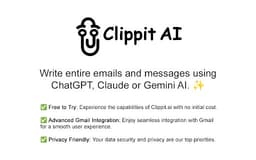
Clippit AI is an AI-powered email and message writing assistant that leverages advanced AI models such as ChatGPT, Claude Sonnet 3.5, and Gemini 1.5 Flash to generate high-quality responses for emails and messages. It offers seamless integration with Gmail, multiple AI models, customizable writing tones and lengths, and supports all languages.
What stands out?
AI-powered email & message assistant
Advanced Gmail integration
Privacy-friendly
Customizable writing tone & length
Frequently Asked Questions
What is Clippit.ai?
How to use Clippit.ai?
What languages can be used with Clippit AI?
Is my data shared with the AI models in Clippit AI?
What is the privacy policy of Clippit AI?
Reviews & Feedback
Share your experience with the community
0.0
Based on 0 reviews
User Comments (0)
Sort Criteria
Order
No reviews yet. Be the first to share your thoughts!
Statistics
Monthly visits
NaN
Saved by users
0
Rating
0.0/ 5.0
Added on
—
Similar Tools

Airtable Assistant
Easily create apps and analyze data with our AI tool, no coding required. Build and analyze without the hassle of programming.

Grok
AI assistant that promotes truth and objectivity with various features.

AI PDF Summarizer by PDF Guru
Simplify PDFs with AI! Summarize, extract key points, ask questions, and translate in 80+ languages. Perfect for work, study, or research.

AI Therapy
Your personal AI therapist for round-the-clock mental health support.

Sider
Seamlessly integrate AI into your daily workflow.
Use Cases
- Compose professional/casual emails
- Correct grammar & typos
- Revise text for clarity
- Adjust communication tone
- Summarize content quickly
How to Use
To use Clippit AI, simply integrate with your email platform, select text, right-click, and generate context-aware responses. Choose AI model, tone, length, and language as needed.