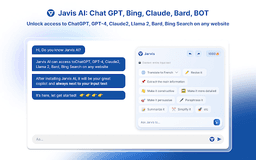
Jarvis AI Assistant - Chrome Extension
AI copilot enhancing productivity.
Introduction
An ultimate AI copilot that revolutionizes productivity and communication with cutting-edge AI models and versatile features.
What stands out?
Chatbot functionality powered by GPT-4 and GPT-3.5
Search enhancement alongside Google and Newbing search results
Web browser Chrome extension for real-time internet exploration
Copywriting with AI capabilities
Translator feature for easy text translation
Prompt library for conversation inspiration
Instant YouTube video summaries
ChatPDF function for conversing with PDF content
Grammarly integration for advanced grammar checks
Rewrite Assistant for content creation
AI painting (Future Feature)
Voice control (Future Feature)
Mail login with no access restrictions
Mobile access for conversations on mobile devices
Frequently Asked Questions
What is Jarvis AI Assistant?
How to use Jarvis AI Assistant?
What AI models does Jarvis AI Assistant utilize?
Reviews & Feedback
Share your experience with the community
0.0
Based on 0 reviews
User Comments (0)
Sort Criteria
Order
No reviews yet. Be the first to share your thoughts!
Statistics
Monthly visits
NaN
Saved by users
0
Rating
0.0/ 5.0
Added on
—
Similar Tools

Kagi Search
Discover a top-tier search engine that prioritizes user privacy and delivers an exceptional browsing experience.

Immersive Translate
Experience a free tool for translating webpages and documents into multiple languages. Enjoy bilingual translations with ease.

Sider
Seamlessly integrate AI into your daily workflow.

Monica - Your ChatGPT AI Assistant Chrome Extension
Easily chat and write with our AI assistant, simplifying your communication and content creation tasks. Get started now!

DeepL
DeepL is a highly accurate translator that translates texts and documents instantly.
Use Cases
- Engage in natural conversations and interactive dialogue with GPT-4 and GPT-3.5
- Access ChatGPT answers for language comprehension
- Translate and paraphrase text effortlessly
- Improve writing with Grammarly integration
- Enhance content creation with Rewrite Assistant
How to Use
To activate Jarvis, focus on input text and highlight a webpage for deeper understanding. Utilize built-in templates for various tasks and chat with Jarvis as your personal assistant.