Neon AI
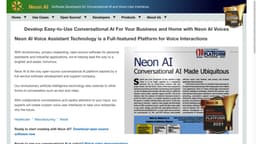
"Neon AI is a user-friendly platform for businesses and homes, offering voice assistants and chatbots."
Introduction
Neon AI is an easy-to-use conversational AI platform for businesses and homes. It offers various features such as voice assistants, voice privacy, chatbots, and more. It provides a full-featured platform for AI voice interactions and is backed by a full-service software development and support company. Explore the website to learn more about its capabilities and use cases.
What stands out?
Private Personal Assistant
Voice Privacy
Chatbots
Voice User Interfaces
Speech to Text & Text to Speech (STT/TTS)
Translation
Neon Nano for Website Designers
Frequently Asked Questions
What is Neon AI?
How to use Neon AI?
0
1
2
3
More Information
Neon AI Company
Neon AI Company name: NeonGecko.com Inc . More about Neon AI, Please visit the about us page(https://neon.ai/AboutUs).
Neon AI Youtube
Neon AI Youtube Link: http://youtube.com/
Neon AI Github
Neon AI Github Link: http://github.com/neongeckocom
Reviews & Feedback
Share your experience with the community
0.0
Based on 0 reviews
User Comments (0)
Sort Criteria
Order
No reviews yet. Be the first to share your thoughts!
Statistics
Monthly visits
NaN
Saved by users
0
Rating
0.0/ 5.0
Added on
—
Similar Tools

Kagi Search
Discover a top-tier search engine that prioritizes user privacy and delivers an exceptional browsing experience.

Immersive Translate
Experience a free tool for translating webpages and documents into multiple languages. Enjoy bilingual translations with ease.

Sider
Seamlessly integrate AI into your daily workflow.

Monica - Your ChatGPT AI Assistant Chrome Extension
Easily chat and write with our AI assistant, simplifying your communication and content creation tasks. Get started now!

DeepL
DeepL is a highly accurate translator that translates texts and documents instantly.
Use Cases
- Advanced Social Media
- Business
- Education
- Enterprise
- Healthcare
- Home Manufacturing & Assembly
- Retail
How to Use
To use Neon AI, you can start by downloading the open-source software for Mark II owners and developers from the website. For end users, you can purchase the Neon - Mycroft AI Mark II, which comes pre-installed with the advanced private personal assistant. You can also explore the demo videos and chatbots forum on the website to see the capabilities of Neon AI. If you are a developer, you can access the Neon AI SDK and documentation to develop custom voice user interfaces and skills. The website also provides resources for installation and integration with other tools.