PDF Translator
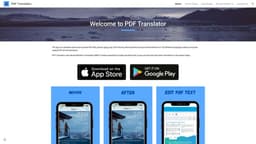
Translate PDF files into over 100 languages, preserving formatting and layout.
Introduction
PDF Translator is a powerful online tool that allows users to translate their documents into over 100 languages while preserving the formatting and layout. It simplifies the process of translating PDF files, making it faster and more convenient for users to communicate and understand information across different languages.
What stands out?
PDF Translator offers the following core features: - Translation of PDF documents into over 100 languages - Preservation of formatting and layout - Easy-to-use interface - Fast and accurate translations - Support for large PDF files - Security and privacy of uploaded documents
Frequently Asked Questions
What is PDF Translator?
How to use PDF Translator?
Can PDF Translator handle scanned PDF documents?
How long does it take to translate a PDF document?
Does PDF Translator support batch translation?
Is the translated PDF document editable?
Is my uploaded document secure?
Reviews & Feedback
Share your experience with the community
0.0
Based on 0 reviews
User Comments (0)
Sort Criteria
Order
No reviews yet. Be the first to share your thoughts!
Statistics
Monthly visits
NaN
Saved by users
0
Rating
0.0/ 5.0
Added on
—
Similar Tools

Kagi Search
Discover a top-tier search engine that prioritizes user privacy and delivers an exceptional browsing experience.

Immersive Translate
Experience a free tool for translating webpages and documents into multiple languages. Enjoy bilingual translations with ease.

Sider
Seamlessly integrate AI into your daily workflow.

Monica - Your ChatGPT AI Assistant Chrome Extension
Easily chat and write with our AI assistant, simplifying your communication and content creation tasks. Get started now!

DeepL
DeepL is a highly accurate translator that translates texts and documents instantly.
Use Cases
- PDF Translator can be used in various scenarios: - Businesses can translate important documents such as contracts, proposals, and reports to effectively communicate with clients and partners from different countries. - Students can utilize the tool to translate research papers or academic materials for cross-cultural collaborations. - Travelers can quickly translate travel guides, brochures, or hotel reservations to enhance their experiences in foreign countries.
How to Use
Using PDF Translator is easy. Simply upload your PDF document to the website, select the desired source and target languages, and click on the 'Translate' button. The tool will automatically analyze the document, maintain the original formatting, and provide you with a translated PDF file that accurately captures the content in the desired language.