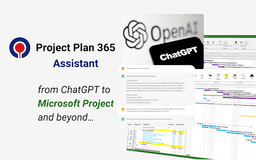
Project Plan 365 Assistant - Chrome Extension
ChatGPT & Microsoft Project integration for efficient project planning.
Introduction
An innovative app combining ChatGPT with Microsoft Project integration for seamless project planning.
What stands out?
Advanced Project Planning
User-Friendly Interface
Ms Project MPP Compatibility
Collaboration and Communication
Customizable Tasks
Frequently Asked Questions
What is Project Plan 365 Assistant?
How to use Project Plan 365 Assistant?
How do I create a project using Chat GPT?
Reviews & Feedback
Share your experience with the community
0.0
Based on 0 reviews
User Comments (0)
Sort Criteria
Order
No reviews yet. Be the first to share your thoughts!
Statistics
Monthly visits
NaN
Saved by users
0
Rating
0.0/ 5.0
Added on
—
Similar Tools

Airtable Assistant
Easily create apps and analyze data with our AI tool, no coding required. Build and analyze without the hassle of programming.

Grok
AI assistant that promotes truth and objectivity with various features.

AI PDF Summarizer by PDF Guru
Simplify PDFs with AI! Summarize, extract key points, ask questions, and translate in 80+ languages. Perfect for work, study, or research.

Sider
Seamlessly integrate AI into your daily workflow.
AI Content Solutions
Elevate your brand with AI Content Solutions, converting AI-generated content into polished writing that reflects your brand's identity.
Use Cases
- Create detailed project plans using natural language conversations
- Open and view projects in Gantt Chart viewer
- Collaborate with team members and assign tasks
How to Use
1. Install 'Project Plan 365 Assistant' on your browser. 2. Visit Chat GPT at https://chat.openai.com/. 3. Ask Chat GPT to create a project. 4. Format the project using 'Open Online in Project Plan 365' button. 5. Download the project in MS Project MPP format.