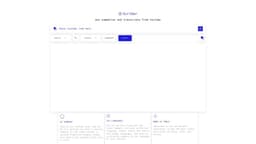
Scriber
Summarize and transcribe YouTube videos with ease.
Introduction
Scriber is a web-based tool that provides summaries and transcripts from YouTube videos.
What stands out?
Summarize YouTube videos
Transcribe YouTube videos
Provide concise video content summaries
Generate full transcripts
Frequently Asked Questions
What is Scriber?
How to use Scriber?
How accurate are the summaries generated by Scriber?
Can Scriber transcribe videos in languages other than English?
Is Scriber free to use?
More Information
Scriber Company
Scriber Company name: Scriber® .
Scriber Twitter
Scriber Twitter Link: https://twitter.com/sergebaloyan
Reviews & Feedback
Share your experience with the community
0.0
Based on 0 reviews
User Comments (0)
Sort Criteria
Order
No reviews yet. Be the first to share your thoughts!
Statistics
Monthly visits
NaN
Saved by users
0
Rating
0.0/ 5.0
Added on
—
Similar Tools

Kagi Search
Discover a top-tier search engine that prioritizes user privacy and delivers an exceptional browsing experience.

Immersive Translate
Experience a free tool for translating webpages and documents into multiple languages. Enjoy bilingual translations with ease.

Sider
Seamlessly integrate AI into your daily workflow.

Monica - Your ChatGPT AI Assistant Chrome Extension
Easily chat and write with our AI assistant, simplifying your communication and content creation tasks. Get started now!

DeepL
DeepL is a highly accurate translator that translates texts and documents instantly.
Use Cases
- Quickly obtain key insights from lengthy YouTube videos
- Save time by reading summaries instead of watching entire videos
- Easily refer back to specific information in the transcript
How to Use
To use Scriber, simply copy and paste a YouTube link into the provided input box and click 'Submit'. In a matter of seconds, Scriber's AI will generate a concise summary of the video's content along with a full transcript.