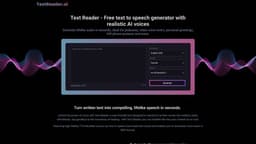
Text Reader
Free text-to-speech with lifelike AI voices.
Introduction
Free text-to-speech generator with realistic AI voices
What stands out?
Generate high-quality audio for podcasts, voice-overs, greetings, and more
Choose from a variety of realistic AI voices
Download voice audio in MP3 format
Automate voice recording tasks
Convert written notes, blogs, articles, and any written content into audio
Create personal audio greetings
Enhance promotional videos with professional voiceovers
Augment customer service with personalized voice response
Aid learning and improve accessibility in education
Supports up to 40 different languages
Frequently Asked Questions
What is Text Reader?
How to use Text Reader?
How do I convert text to voice?
What sets Text Reader voices apart?
Why choose AI voiceovers over human narration?
Can I use AI voices for commercial projects?
How fast can Text Reader convert text to speech?
More Information
Text Reader Support Email & Customer service contact & Refund contact etc.
More Contact, visit the contact us page(https://textreader.ai/contact/)
Reviews & Feedback
Share your experience with the community
0.0
Based on 0 reviews
User Comments (0)
Sort Criteria
Order
No reviews yet. Be the first to share your thoughts!
Statistics
Monthly visits
NaN
Saved by users
0
Rating
0.0/ 5.0
Added on
—
Similar Tools

Kagi Search
Discover a top-tier search engine that prioritizes user privacy and delivers an exceptional browsing experience.

Immersive Translate
Experience a free tool for translating webpages and documents into multiple languages. Enjoy bilingual translations with ease.

Sider
Seamlessly integrate AI into your daily workflow.

Monica - Your ChatGPT AI Assistant Chrome Extension
Easily chat and write with our AI assistant, simplifying your communication and content creation tasks. Get started now!

DeepL
DeepL is a highly accurate translator that translates texts and documents instantly.
Use Cases
- Podcasts
- Video voice-overs
- Personal greetings
- IVR phone systems
- Captivating voiceovers for commercial purposes
- Educational content and accessibility
How to Use
Convert written text into lifelike speech in seconds