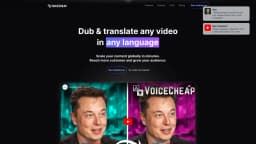
VoiceCheap
Global video translation and dubbing made easy with AI
Introduction
VoiceCheap is a revolutionary web application that empowers content creators and YouTubers to translate and dub their content into 30 different languages effortlessly. Whether you’re a budding influencer or a seasoned creator, VoiceCheap makes it incredibly easy to take your content global and grow your audience.
What stands out?
Voice cloning technology
Speech-to-text
Text-to-speech
Lip-sync feature
Dubbing
Smart-sync feature
Video Translation
Audio translation
Frequently Asked Questions
What is VoiceCheap?
How to use VoiceCheap?
What is VoiceCheap?
Which languages are available for video translation?
How are tokens used in VoiceCheap?
Can I cancel my subscription at any time?
What type of video can I translate?
What options exist for video translation?
What happens if I don't like the result of one of my dubbing?
Do I need to enter a credit card to use VoiceCheap?
More Information
VoiceCheap Discord
Here is the VoiceCheap Discord: https://discord.gg/bVaMm9uvp9. For more Discord message, please click here(/discord/bvamm9uvp9).
VoiceCheap Company
VoiceCheap Company name: VOICECHEAP . More about VoiceCheap, Please visit the about us page(https://www.voicecheap.ai/company).
VoiceCheap Pricing
VoiceCheap Pricing Link: https://www.voicecheap.ai/#pricing
VoiceCheap Youtube
VoiceCheap Youtube Link: https://www.youtube.com/@voicecheapai
VoiceCheap Tiktok
VoiceCheap Tiktok Link: https://www.tiktok.com/@voicecheap.ai
VoiceCheap Linkedin
VoiceCheap Linkedin Link: https://www.linkedin.com/company/voicecheap-ai
VoiceCheap Twitter
VoiceCheap Twitter Link: https://twitter.com/voicecheap_ai
VoiceCheap Instagram
VoiceCheap Instagram Link: https://www.instagram.com/voicecheap.ai/
Reviews & Feedback
Share your experience with the community
0.0
Based on 0 reviews
User Comments (0)
Sort Criteria
Order
No reviews yet. Be the first to share your thoughts!
Statistics
Monthly visits
NaN
Saved by users
0
Rating
0.0/ 5.0
Added on
—
Similar Tools

Kagi Search
Discover a top-tier search engine that prioritizes user privacy and delivers an exceptional browsing experience.

Immersive Translate
Experience a free tool for translating webpages and documents into multiple languages. Enjoy bilingual translations with ease.

Sider
Seamlessly integrate AI into your daily workflow.

Monica - Your ChatGPT AI Assistant Chrome Extension
Easily chat and write with our AI assistant, simplifying your communication and content creation tasks. Get started now!

DeepL
DeepL is a highly accurate translator that translates texts and documents instantly.
Use Cases
- Dubbing videos into multiple languages
- Transcribing audio files
- Creating subtitles for videos
- Translate video into multiple languages
- Reach more customer
- Grow your audience
How to Use
1. Sign up with your Google account and connect YouTube if desired. 2. Import your video via upload or link from platforms like YouTube or Instagram. 3. VoiceCheap transcribes the video automatically; review and edit as needed. 4. Select target languages for translation, and VoiceCheap generates contextual translations. 5. Choose your dubbing option: clone the original voice, upload your voice, or select from the library. 6. Customize subtitles, manage background noise, and enable Lip Sync if needed. 7. Download the final audio or video file, or share it directly via a link.