Wraith Docs
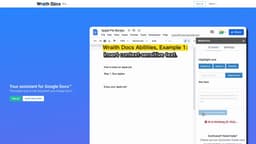
Wraith Docs is an AI assistant for Google Docs, providing AI tools for faster and more effective document writing and editing.
Introduction
Wraith Docs is an AI assistant for Google Docs™ that offers a unique suite of AI tools to help users write and edit their documents faster and more effectively.
What stands out?
Wraith Docs offers the following core features: 1. Paraphrase: Easily paraphrase any highlighted text. 2. Expand: Expand upon ideas to make them longer and more comprehensive. 3. Simplify: Make text easier for readers to understand. 4. Keyword Optimization: Add keywords to optimize SEO. 5. Add Text Fast: Quickly add text at the cursor position. 6. Flexible Prompt Input: Input your own prompts for the AI to generate content.
Frequently Asked Questions
What is Wraith Docs?
How to use Wraith Docs?
Why is Wraith Docs free?
Do I have unlimited usage with Wraith Docs?
Can I use Wraith Docs without Google Docs™?
More Information
Wraith Docs Company
Wraith Docs Company name: Wraith Docs .
Wraith Docs Login
Wraith Docs Login Link: https://wraithdocs.com/accounts/login/
Wraith Docs Sign up
Wraith Docs Sign up Link: https://wraithdocs.com/accounts/signup/
Reviews & Feedback
Share your experience with the community
0.0
Based on 0 reviews
User Comments (0)
Sort Criteria
Order
No reviews yet. Be the first to share your thoughts!
Statistics
Monthly visits
NaN
Saved by users
0
Rating
0.0/ 5.0
Added on
—
Similar Tools

Airtable Assistant
Easily create apps and analyze data with our AI tool, no coding required. Build and analyze without the hassle of programming.

Grok
AI assistant that promotes truth and objectivity with various features.

AI PDF Summarizer by PDF Guru
Simplify PDFs with AI! Summarize, extract key points, ask questions, and translate in 80+ languages. Perfect for work, study, or research.

AI Therapy
Your personal AI therapist for round-the-clock mental health support.

Sider
Seamlessly integrate AI into your daily workflow.
Use Cases
- Wraith Docs can be used in various scenarios, including: 1. Content Writing: Enhance your writing speed and quality by utilizing the AI tools for paraphrasing, expanding ideas, and simplifying text. 2. SEO Optimization: Improve your website's search engine optimization by using the keyword optimization feature to add relevant keywords to your content. 3. Copy Editing: Quickly edit and polish your Google Docs™ documents using the AI assistant's capabilities.
How to Use
To use Wraith Docs, sign up for an account on the website. Once you have an account, you can access the AI tools directly within your Google Docs™ document. Simply highlight the text you want to work on and choose from the available options like paraphrasing, expanding ideas, simplifying text, and optimizing keywords. Wraith Docs also allows you to add text quickly and easily with its context-aware feature. Additionally, you can input your own prompts for the AI to generate content based on your needs.